Mount System
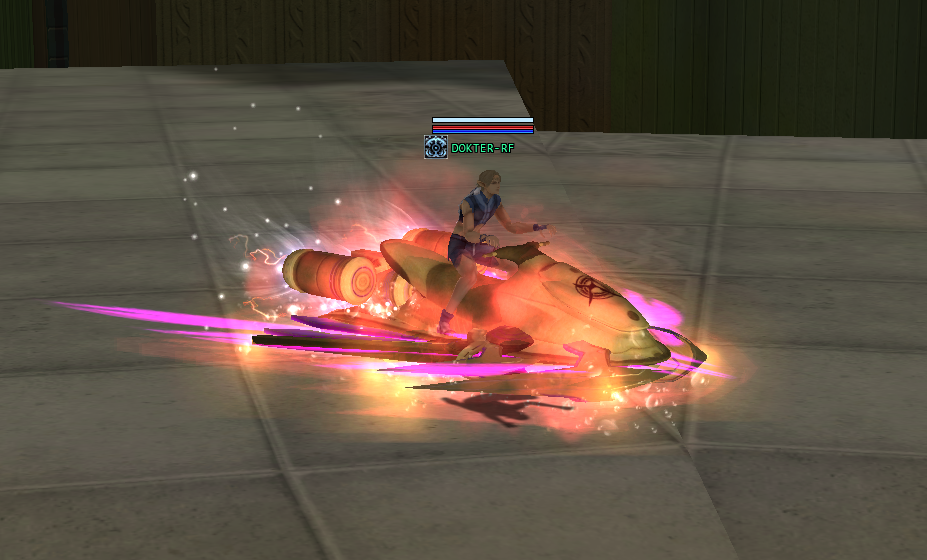
Ride in Style Across Novus
Give your journey a new look with the Mount System. Take a seat on a futuristic ride and bring a striking presence to the world of RF Valtheria.
With its bold design and vibrant energy effects, this mount adds a distinctive touch to your character. Make every arrival memorable as you explore Novus with your allies.
Mount availability, requirements, and usage details will be announced in the official server guides.
Voice System In Game
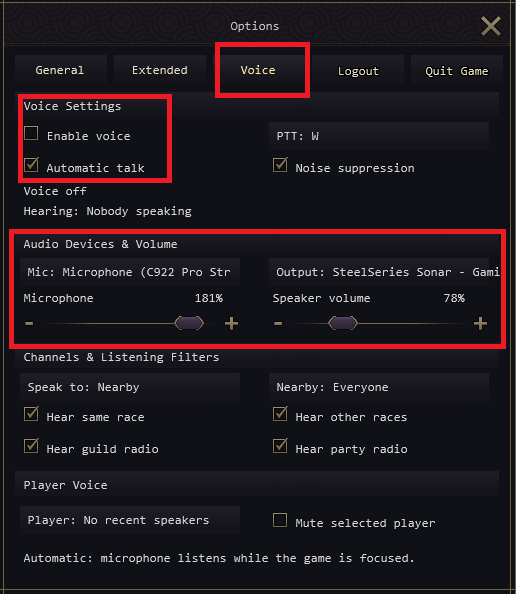
Stay Connected. Speak In Game.
Communicate with other players directly inside RF Valtheria using the in-game Voice System. Talk with your allies, coordinate your next move, and stay connected without leaving the game.
Set Up Your Voice
Open Options → Voice and select Enable voice. Choose your microphone and output device, then adjust microphone and speaker volume to comfortable levels.
- Push-to-Talk or Automatic Talk: use the displayed PTT key or enable Automatic talk to communicate.
- Noise Suppression: reduce background noise for clearer conversations.
- Channels and Listening Filters: choose who you speak to and adjust listening options for nearby players, races, guild radio, and party radio.
- Player Controls: mute a selected player when needed.
With Automatic talk enabled, your microphone listens while the game is focused. Check your voice settings before joining a conversation.
Collection Item [ CODEX ]
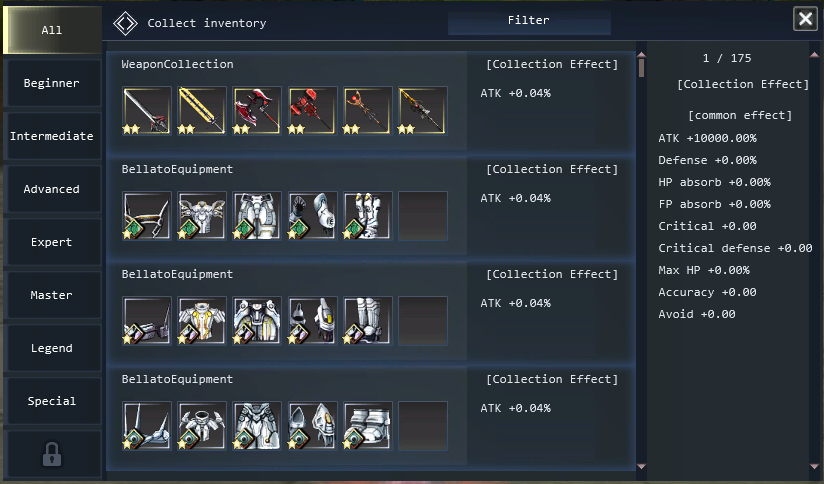
Collect Items. Complete Sets. Unlock Effects.
Turn your item drops into meaningful progress with CODEX, the item collection system in RF Valtheria. Gather the required items and register them in a collection to work toward completing the set.
How It Works
- Collect: obtain item drops during your adventures and check which items are needed in CODEX.
- Complete: fill the required entries to finish a collection.
- Unlock: completing a collection grants its listed effect, adding extra benefits to your character.
Browse the collection categories, track missing items, and choose your next collection goal. Check each collection in game for its requirements and the effect it provides.
Auto Hunt [ New Feature ]
Keep the Hunt Going
Take on monsters with Auto Hunt, a new feature in RF Valtheria that allows your character to fight monsters automatically. Activate the system in game and let your character continue the hunt with fewer repeated manual actions.
Watch the gameplay preview above to see Auto Hunt in action. Prepare your character before starting, choose a suitable hunting area, and keep an eye on the battle as it progresses.
Available settings, activation requirements, and usage rules will be detailed in the in-game instructions and official server announcements.
Tab Targeting
Find Your Next Target with TAB
Stay focused on the fight with Tab Targeting. Press TAB on your keyboard to automatically select the nearest eligible enemy player or monster within targeting range.
Whether you are fighting other players in PvP or hunting monsters, this feature helps you acquire a target without manually clicking it.
Customize Your Targets
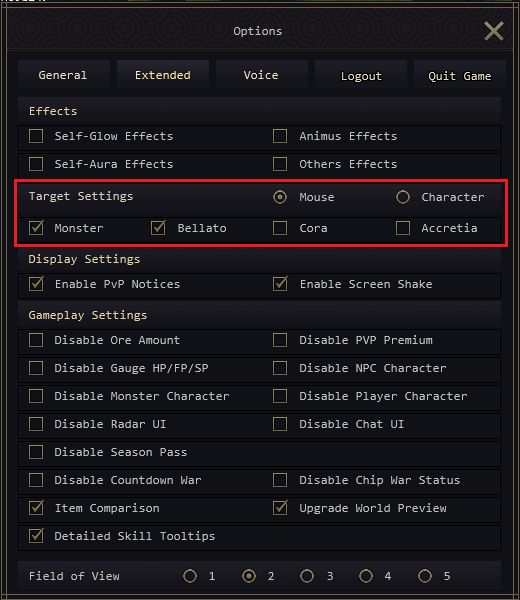
Open Options → Extended → Target Settings to review your targeting preferences. Use the Monster and race filters to choose the target categories you want to include.
Tab Targeting selects a target; it does not automatically attack. Your target must be within range and match your targeting settings.
Wearing Equipments
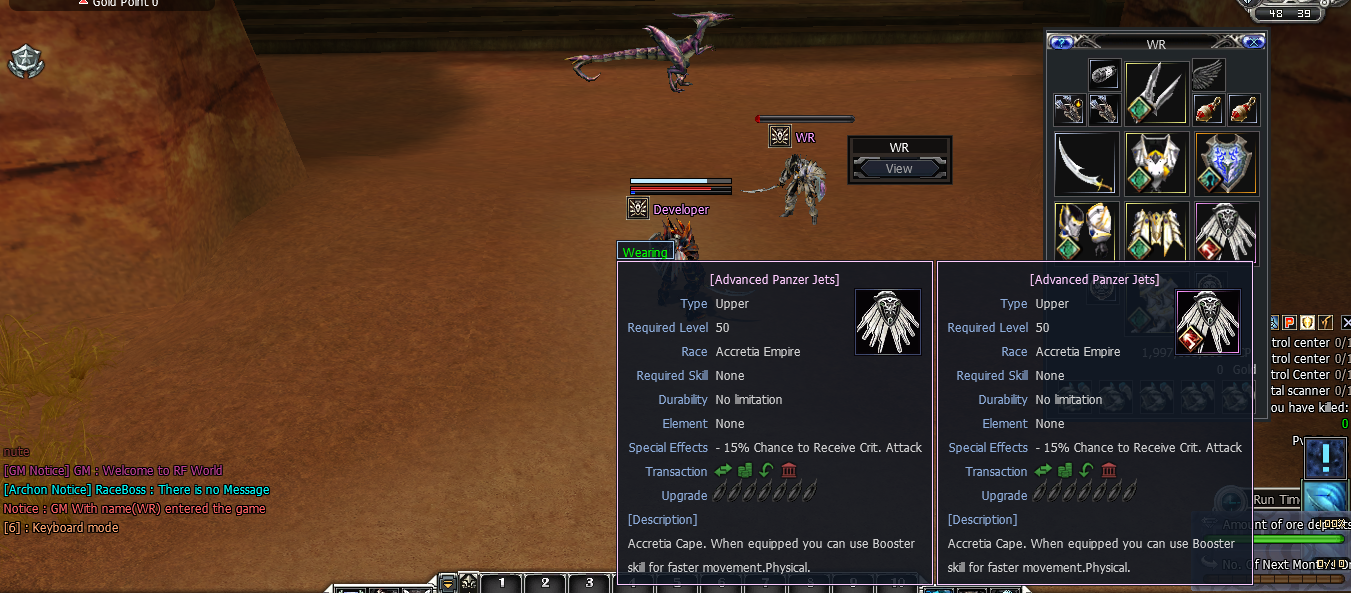
Compare Your Gear at a Glance
See the difference between the item you are currently wearing and an item you have not equipped. The Wearing Equipments feature displays item details side by side, making it easier to compare requirements, attributes, and special effects before deciding what to wear.
View Player Inventory & Equipment
You can also view the inventory and equipment of other players, whether they belong to your own race or a different race. Inspect their gear, explore different equipment choices, and learn more about the items used across Novus.
Use the comparison display and player View option to review equipment information directly in game.
Premium Service Benefits
Enjoy Additional Premium Benefits
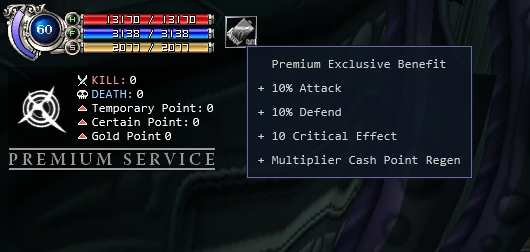
Players who purchase or have an active Premium Service receive additional effects for their character. These benefits provide extra advantages throughout your adventures in RF Valtheria.
The image above shows an example of Premium Service effects. The available effects and their values may change from time to time as the server is updated.
Before purchasing or activating Premium Service, check the current in-game benefit details and official announcements for the latest information.
Item Count Modify
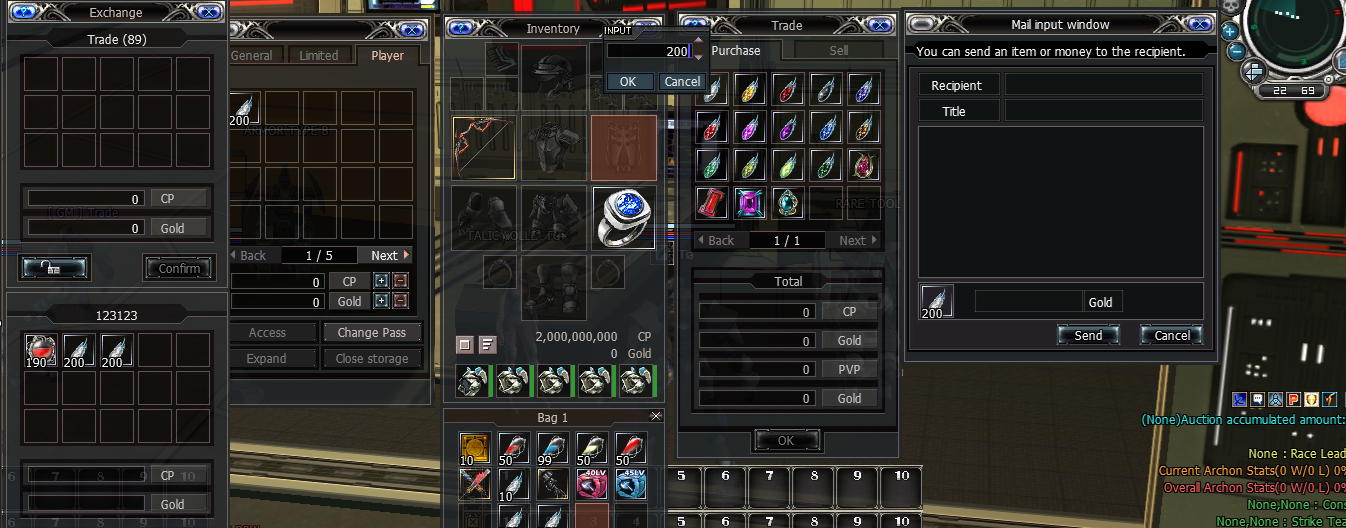
More Items in Every Stack
RF Valtheria increases the maximum item stack count from 99 to 200 pcs. Keep more stackable items together and spend less time managing separate stacks.
With up to 200 pieces in a single stack, organizing your supplies and collected items becomes more convenient throughout your adventures in Novus.
Max Party
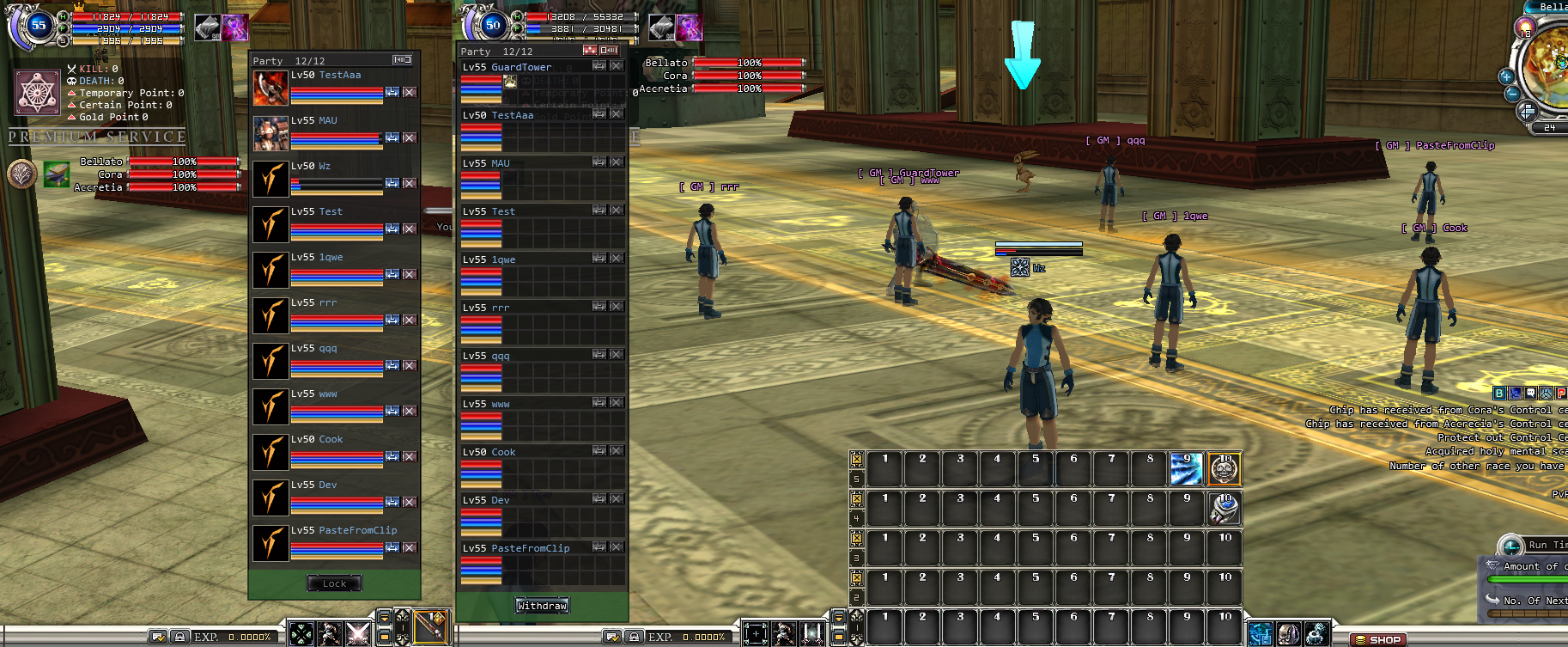
Team Up with Up to 12 Players
Bring more allies into the action. RF Valtheria expands the party limit from 8 to 12 members, giving your group more room to adventure and fight together.
- 12-Member Party Limit: form a single party with up to 12 players.
- Party EXP Support for 12 Members: the expanded party experience system supports groups of up to 12 members.
- Party Class Switcher: includes the Party Class Switcher feature.
Gather your teammates, organize your group, and explore Novus together with a larger party.